Emotional Cushion
Tangible posture feedback
- Context
- University coursework
- Role
- Interaction Design & Prototyping
- Timeline
- 3 months · 2025
- Team
- 4 people
- Tools
- Arduino IDE, Figma, physical prototyping
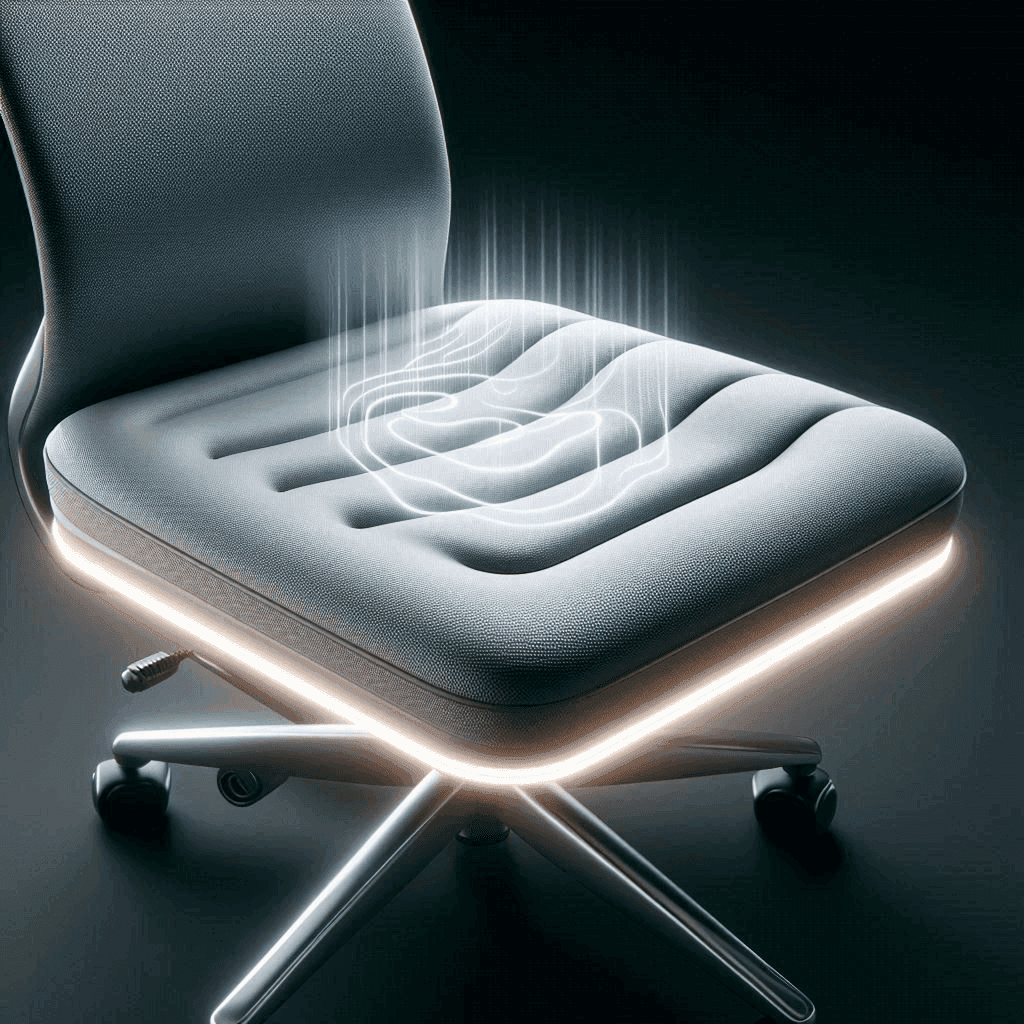
The problem
Prolonged sitting causes back pain, poor posture and reduced circulation, and the people most affected already ignore every screen-based reminder they get.
My role
One of four on the team. I worked across ideation, the interaction model, both prototype builds and the user evaluation.
The outcome
A fully working cushion with four pressure sensors driving progressive light, sound and vibration feedback, evaluated with students and teachers, and iterated into three new features based on what they said.
Background
What if the reminder wasn't on a screen?
Prolonged sitting leads to back pain, poor posture and reduced circulation. Everybody knows this. Almost nobody acts on it, because the reminder always arrives as one more notification on the device they're already sitting in front of.
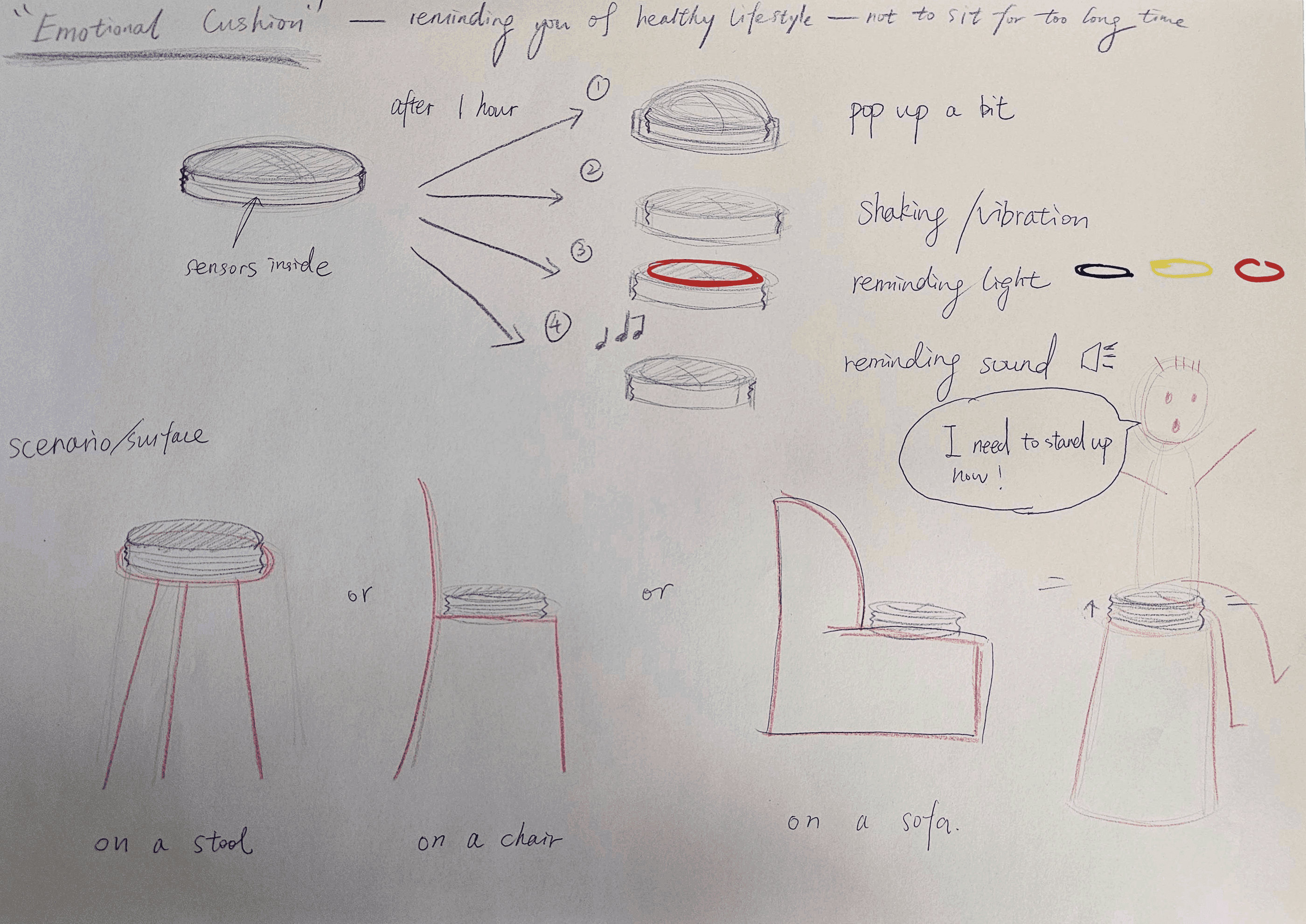
We explored how tangible interaction could promote healthier sitting habits, moving the feedback off the screen and into the thing the user is already touching. The result was the Emotional Cushion: an interactive seat with pressure sensors, vibration and light feedback that nudges you to adjust posture and take breaks, without interrupting what you're doing.
Brainstorming & ideation
From posture wearables to chair add-ons, and why the cushion won.
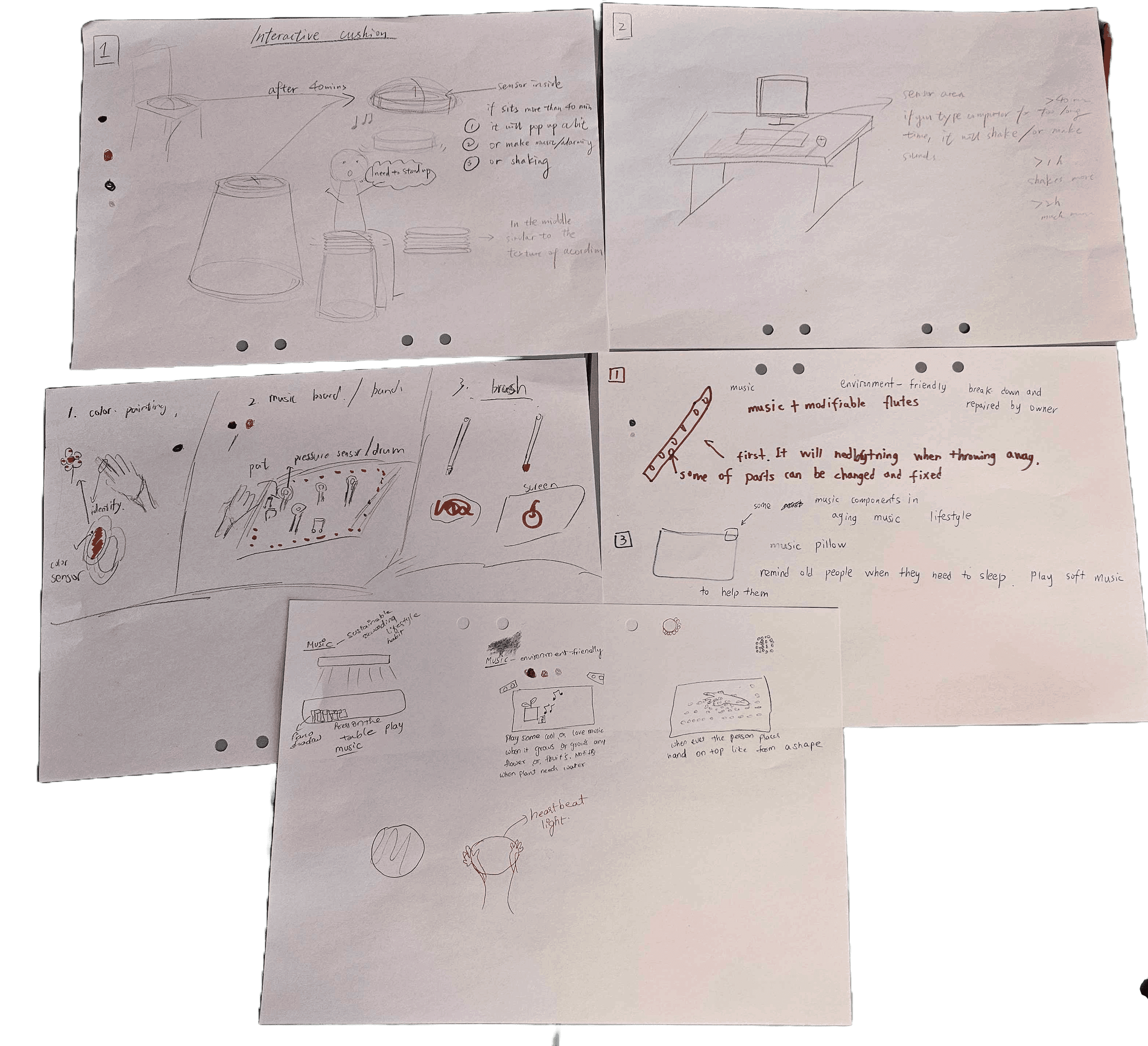
We started by brainstorming ways tangible interaction could influence sitting behaviour, sketching everything from posture-tracking wearables to interactive chair attachments, then arguing about feasibility, subtlety and comfort.
Group discussion and quick paper prototypes narrowed us to a cushion. It could deliver feedback without being worn, without being intrusive, and without asking the user to change anything about their setup, you just sit on it.
How we got from a blank page to one idea
- 01
Widening the scope
Inspirational things, collecting references without judging them yet.
- 02
Narrowing the scope
Solution sketches, cutting the field down to what felt buildable.
- 03
Create ideas
Four ideas each, all on the theme, then dot voting to surface the strongest.
- 04
Analyse the top four
Six Thinking Hats on each finalist, then a vote to pick one direction.
- 05
Develop the final idea
Aesthetics, form, interactivity, usability, functionality and surface materials.
The components
Cushion
The physical artifact and the main tangible interface.
Pressure sensors
Detect sitting and incorrect posture, the primary input.
Vibration motors
Tactile feedback the user feels rather than sees.
LED light strip
Visual feedback and ambient state.
Speaker
Audio feedback for the higher-urgency states.
Arduino electronics module
Circuitry inside the cushion connecting sensors, lights and vibration.
Prototyping
Cardboard first. Cushion second.
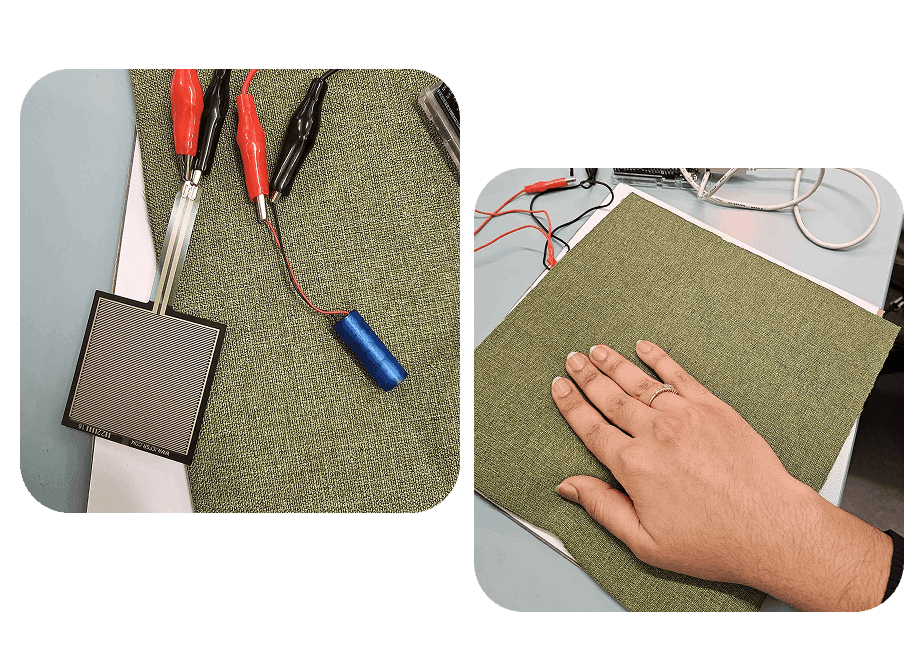
First prototype
The first build was a proof of concept with one pressure sensor, one vibration motor, and a cardboard base with soft cloth instead of an actual cushion.
It was crude, and that was the point: it confirmed the system could register sitting duration and deliver tactile feedback. The core interaction logic worked, which made everything after it a refinement problem rather than a feasibility question.
Final prototype
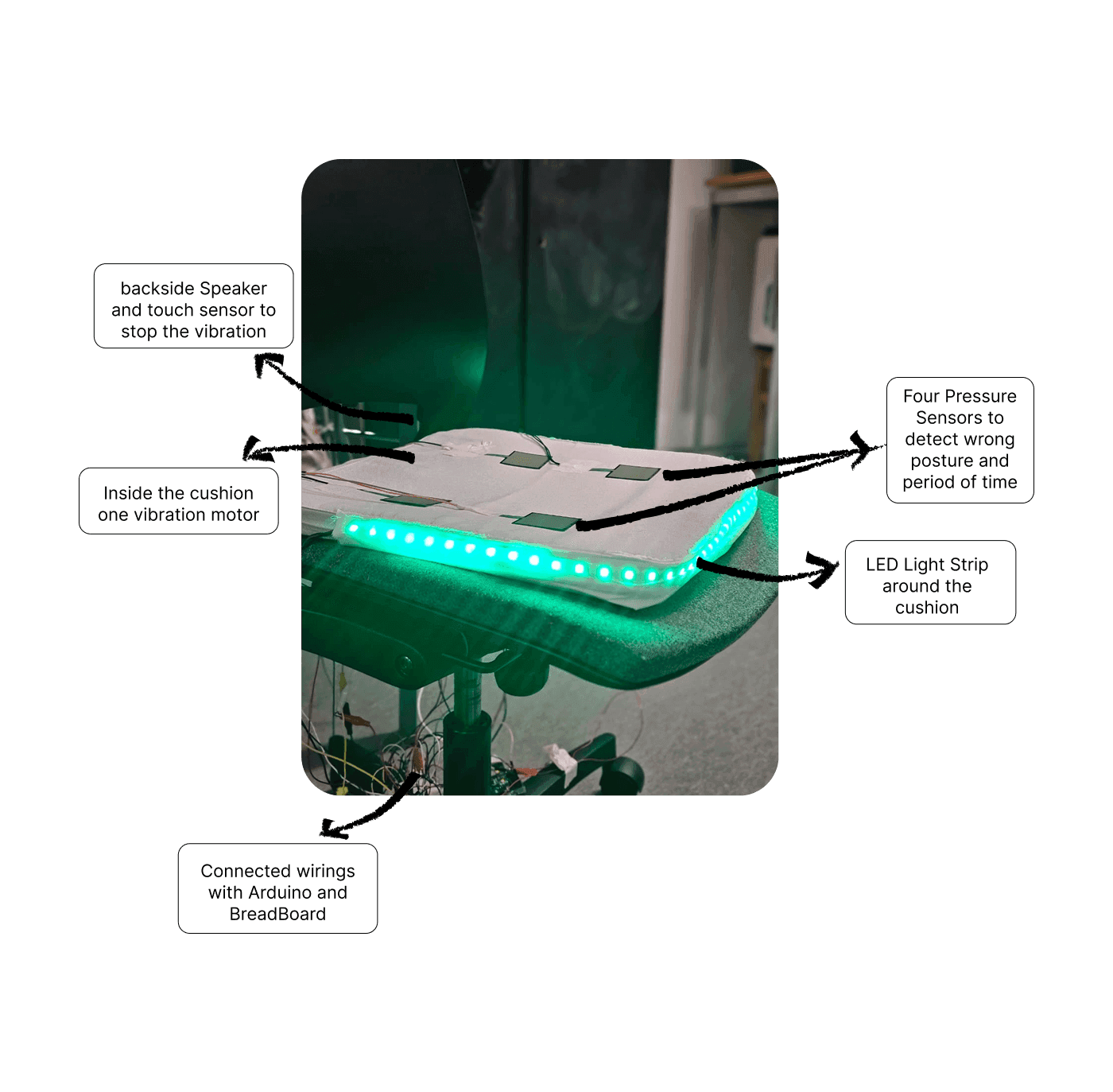
The final build integrated everything into a real cushion: four pressure sensors, a vibration motor, an LED strip and a speaker, all embedded.
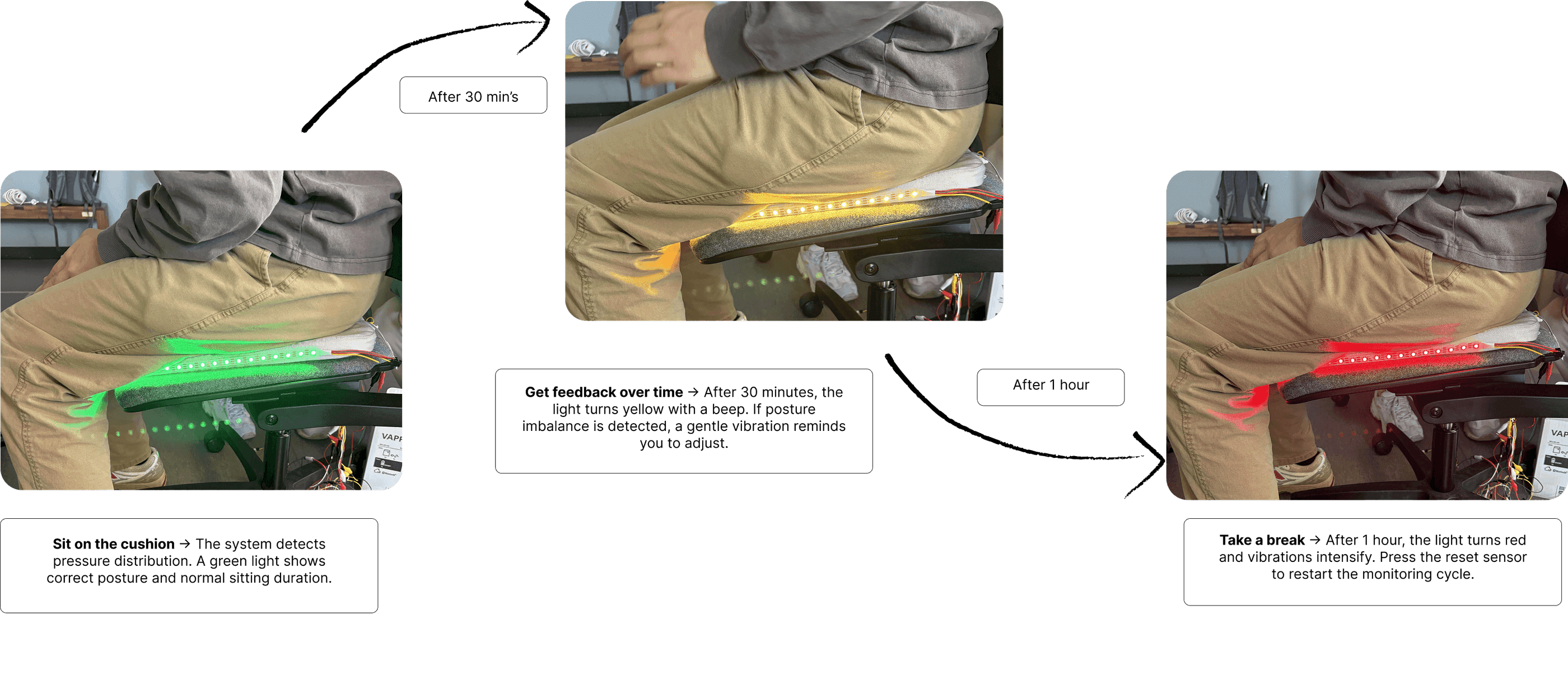
The system detects both sitting duration and posture, then escalates. A pressure sensor doubles as the reset mechanism when the user stands up.
- 01
Green light
Normal sitting, ambient, ignorable, no interruption.
- 02
Yellow + beep
After 30 minutes, noticeable but easy to dismiss.
- 03
Red + stronger vibration
After one hour, hard to ignore, still not alarming.
How it works
Pressure sensors in the seat detect that someone is sitting and how their weight is distributed. The Arduino tracks duration and balance, then drives the light, sound and vibration outputs as the thresholds are crossed. Standing up releases the pressure, which resets the timer.
User testing & evaluation
Tested with students and teachers, the people who sit the longest.
We evaluated the cushion with students and teachers to see whether it actually prompted posture correction and movement, using pre- and post-test questionnaires alongside hands-on prototype testing.
The clearest result: vibration was highly effective, and the light indicators were much less noticeable than we expected. Sitting on something means you feel it before you look at it, obvious in hindsight, and exactly the kind of thing you only learn by putting the object under a real person.
What we changed as a result
Quad-zone pressure monitoring
Four sensor zones instead of treating the seat as one surface, enough resolution to tell which way someone is leaning.
Dynamic imbalance detection
Detects uneven weight distribution, not just total sitting time, catching bad posture rather than only long posture.
Sitting timer
Gives the user an explicit sense of elapsed time rather than leaving them to guess why the cushion is escalating.
Pre-test: how people sit now
Before anyone touched the cushion, we asked how long they sit, what they already use, and how aware they are of their own posture. Three participants, so these read as counts rather than percentages.
- ~5 hrs2
- >8 hrs1
- No tools2
- Apple Watch1
- 32
- 21
- Occasionally2
- Every day1
- 31
- 41
- Qualitative1
- No strategies2
- Apple Watch1
Post-test: what the cushion actually changed
The same participants after using the prototype. Vibration and awareness scored unanimously; the light feedback did not, which is what drove the design changes below.
- Comfortable1
- Hard to ignore vibration1
- Fix position1
- Comfortable, needed daily1
- Comfortable, wanna try1
- Comfortable, would use1
- 51
- 2–31
- 52
- Effective1
- 51
- Not noticeable1
- Yes3
- Useful1
- Could be different1
- Yes3
- Helpful2
- Alarm-like1
- Yes3
- 51
- 41
- 21
- Gesture detection1
- Tilting1
- Orange light1
- Sensitive sensors1
- Vibration1
- Portable1
- Better sensitivity1
- More sensors1
- More visibility1
Outcome
What it delivered
A working artifact, not a concept
The final prototype ran the complete interaction, four pressure sensors, progressive light, sound and vibration feedback, and a physical reset, as a real object people sat on.
Testing changed the feedback model
Vibration proved far more effective than light. That finding produced three concrete features: quad-zone pressure monitoring, dynamic imbalance detection and a sitting timer.
Posture, not just duration
Imbalance detection moved the product from 'you've been sitting a while' to 'you're sitting badly', a meaningfully more useful signal.
Reflection
What I learned, and what I'd change
This project taught me the most about feedback channels. On a screen you can assume the user is looking; with a physical object you can't assume anything, and the evaluation made that concrete in a way no amount of reasoning would have.
What I'd change: I'd test the escalation timings with real users rather than picking 30 minutes and one hour from health guidelines. The thresholds were the one part of the interaction we never validated, and they're the part that determines whether people keep the cushion or shove it in a drawer.